TesterArmyTesterArmy
WelcomeIntroductionQuick Start
Run ModePull Request TestingProduction MonitoringGroup Webhooks
Test CredentialsAgent Mail InboxesHTTP Basic Auth
OverviewApp UploadsGitHub Actions
VercelCoolifyCoolifySlack
Testing Staging EnvironmentTesting PRs
Getting StartedLocal Development
Guides

Testing PRs

Run a test group on every pull request and get results posted as a GitHub PR comment. Catch bugs before they reach production by testing each preview deployment with predefined tests.
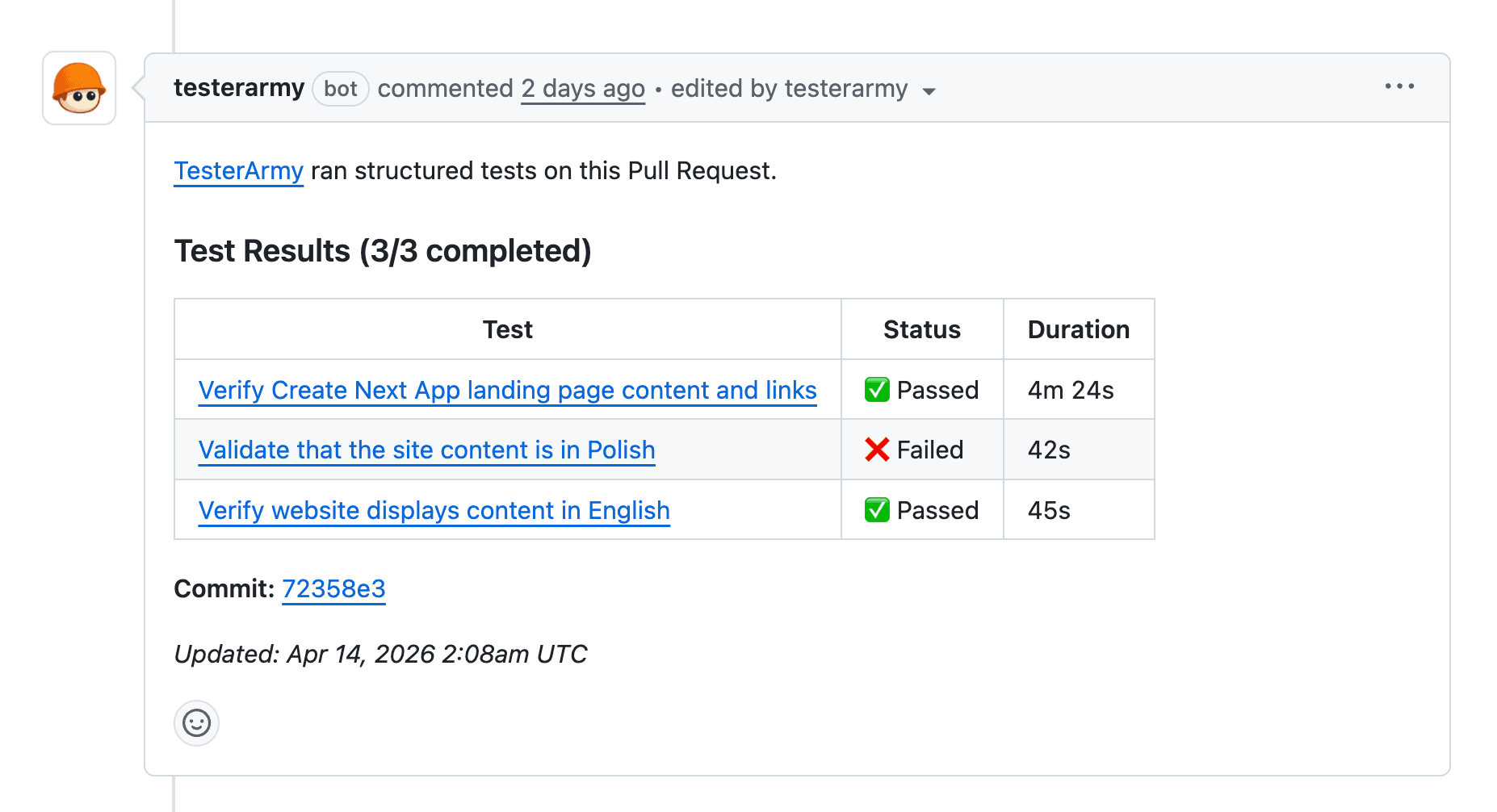
PR test results comment

Why test every PR

Manual QA on pull requests slows down reviews and lets regressions slip through. By running a test group against each deployment preview, you get fast feedback directly in the PR. Reviewers see pass/fail results without leaving GitHub, broken changes get caught before merge, and your main branch stays stable.

Prerequisites

  • GitHub App installed and connected to your repository.
  • A project linked to a GitHub repository.
  • Vercel integration configured (deployment detection uses GitHub deployment status events).

Testing Staging Environment

Previous Page

Getting Started

Next Page

On this page

Why test every PRPrerequisitesSetupHow it worksTroubleshootingNo comment appears on the PRTests run against the production URL
  • A test group with the tests you want to run on each PR.
  • Setup

    1. Open your project and go to the PR Testing tab.
    2. Enable Test groups for PR runs and select the test group to run on pull requests. All tests in this group will execute against every new deployment preview.
    3. If Vercel deployment protection is enabled, add a bypass token.

    That's it. Every new Vercel preview deployment on a PR now triggers the selected test group automatically.

    How it works

    1. A pull request is opened or updated.
    2. Vercel creates a preview deployment and sends a deployment status event via GitHub.
    3. TesterArmy receives the event, resolves the PR from the commit SHA, and triggers every test in the PR test group against the preview URL.
    4. Results are posted as a comment on the PR with a table of pass/fail per test.
    5. On subsequent pushes, the same comment is updated in place rather than creating a new one.

    Troubleshooting

    No comment appears on the PR

    1. GitHub App not connected - verify installation in Project Settings.
    2. No PR test group - make sure a test group is enabled in the PR Testing tab.
    3. Permissions - the GitHub App needs Pull requests: Read & Write.

    Tests run against the production URL

    1. Deployment not detected - TesterArmy only triggers on Vercel preview deployments. Verify the deployment shows up in the Vercel dashboard.
    2. Bypass token missing - if the preview URL returns an auth screen, add a bypass token.